Immich vs PhotoPrism: Choosing the Right Self-Hosted Photo Manager
If you're moving away from Google Photos or iCloud, the two names that come up immediately are Immich and PhotoPrism. Both are excellent. Both are open source. Both handle large photo libraries with AI-powered features. But they're built for different people with different priorities.
Photo by Steve Johnson on Unsplash
This guide compares them honestly — not to declare a winner, but to help you pick the right one for your situation. After running both in production for over a year, the answer isn't "one is better." It's "one is better for you."
The Fundamental Difference
Here's the core distinction that drives everything else:
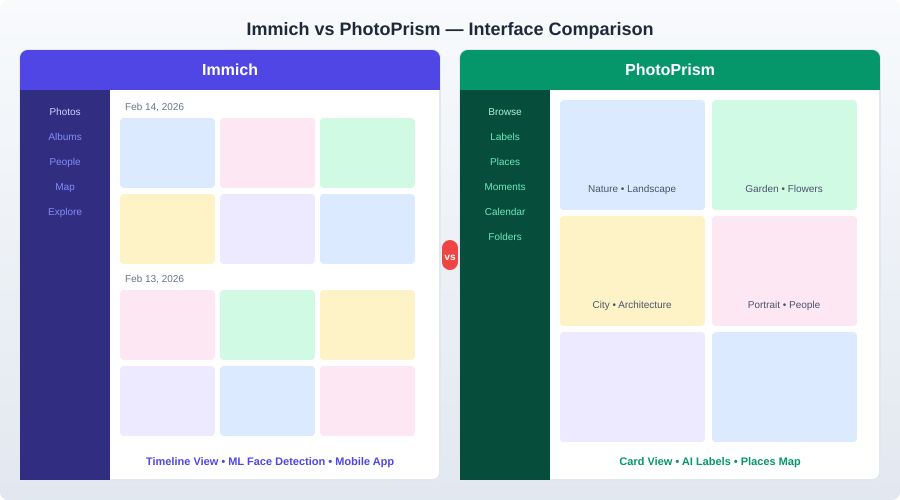
Immich is a Google Photos replacement. It focuses on the complete mobile-first experience: automatic phone backup, timeline browsing, memories, sharing albums with family. It's designed for people who take photos on their phones and want them safely stored on their own server.
PhotoPrism is a photo management and discovery tool. It focuses on organizing, browsing, and searching a large existing library. It's designed for people who already have thousands of photos on a hard drive and want to make them searchable, browsable, and enjoyable.
Both do more than this, but this core difference shapes their design decisions, feature priorities, and user experience.
Feature Comparison
Mobile Experience
| Feature | Immich | PhotoPrism |
|---|---|---|
| Native mobile apps | Yes (iOS + Android) | No |
| Automatic photo backup | Yes (background upload) | No |
| Mobile web experience | Good | Good |
| Offline viewing | Via app cache | No |
| Share photos via app | Yes | Via web links |
This is Immich's biggest advantage and it's not close. The native mobile apps with background backup are the reason most people leave Google Photos. You install the app, log in, and your photos automatically upload to your server. PhotoPrism has no mobile app — you use the web interface on your phone, and there's no automatic backup. You'd need a separate tool (like Syncthing or a file sync app) to get photos from your phone to the server, then have PhotoPrism index them.
If mobile backup is your primary requirement, the decision is already made: use Immich.
AI and Machine Learning
| Feature | Immich | PhotoPrism |
|---|---|---|
| Face recognition | Yes | Yes |
| Face naming/grouping | Yes (manual merge) | Yes (manual merge) |
| Object detection | Yes (CLIP-based) | Yes (TensorFlow) |
| Natural language search | Yes ("sunset at beach") | Yes ("red car in snow") |
| Scene classification | Yes | Yes (places, moments) |
| Color search | No | Yes |
| Quality scoring | No | Yes (favorites by quality) |
| Hardware acceleration | NVIDIA CUDA, Intel QSV | NVIDIA, Intel, ARM |
Both platforms run ML models locally — nothing leaves your server. The implementations differ:
Immich uses CLIP (Contrastive Language-Image Pretraining) for search, which excels at natural language queries. Typing "birthday party with balloons" actually finds relevant photos. Face detection uses InsightFace models. The trade-off is higher resource usage — the ML container alone wants 2-4 GB of RAM.
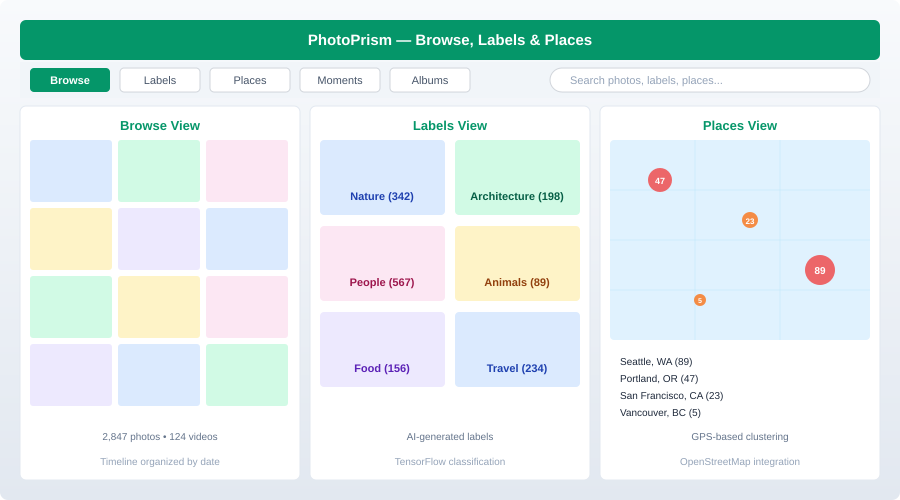
PhotoPrism uses TensorFlow-based classifiers for scene detection, object recognition, and face grouping. It also has unique features like color-based search (find all photos with dominant blue tones) and automatic quality ratings. It's less resource-intensive than Immich's ML stack.
In practice, both do a good job with face recognition and search. Immich's CLIP-based search feels more natural and flexible. PhotoPrism's classification system (places, moments, labels) creates more structured organization automatically.
Library Organization
| Feature | Immich | PhotoPrism |
|---|---|---|
| Timeline view | Yes (primary view) | Yes |
| Albums | Yes (manual + smart) | Yes (manual + auto) |
| Folders | Via upload structure | Yes (original folder structure) |
| Labels/Tags | Via ML only | ML + manual |
| Places/Map | Yes | Yes (with clustering) |
| Calendars | Yes (memories) | Yes (moments) |
| Stacking (RAW + JPEG) | Yes | Yes |
| Duplicates detection | No | Yes |
| Private/Archive | Yes | Yes |
PhotoPrism has a more mature organization system. It automatically creates "moments" (clusters of photos by time and location), preserves your original folder structure for browsing, and lets you manually tag and organize alongside ML-generated labels. It also handles RAW+JPEG stacking and duplicate detection better.
Immich's organization is simpler — it's centered on the timeline (like Google Photos), with albums for grouping. It works well for the "dump photos from your phone and browse them later" workflow but offers less manual curation.
Sharing and Multi-User
| Feature | Immich | PhotoPrism |
|---|---|---|
| Multi-user | Yes (full) | Limited (single primary user) |
| Shared albums | Yes | Yes (via links) |
| Partner sharing | Yes (share entire library) | No |
| External sharing links | Yes | Yes |
| User quotas | Yes | No |
| Family use | Designed for it | Possible but limited |
Immich has proper multi-user support. Each family member gets an account, their own library, their own mobile app backup, and can share albums with others. This is essential for families.
PhotoPrism is primarily a single-user application. There's a multi-user feature (added in later versions), but it's less mature than Immich's. If you're setting up photo management for a family of four, Immich is the clear choice.
Performance and Resources
| Metric | Immich | PhotoPrism |
|---|---|---|
| Minimum RAM | 4 GB | 2 GB |
| Recommended RAM | 8 GB | 4 GB |
| CPU (minimum) | 2 cores | 2 cores |
| CPU (recommended) | 4 cores | 2 cores |
| Database | PostgreSQL (required) | MariaDB or SQLite |
| Initial indexing (50K photos) | 4-8 hours | 2-4 hours |
| Docker containers | 4 (server, ML, Redis, Postgres) | 1-2 (app + MariaDB) |
| Disk usage (overhead) | 15-25% (thumbnails + transcode) | 10-15% (thumbnails + sidecar) |
PhotoPrism is significantly lighter. It can run on a Raspberry Pi 4 (with patience during initial indexing). Immich's ML container is the resource hog — it loads large neural network models into memory. On a machine with 4 GB of RAM, Immich will be tight; PhotoPrism will be comfortable.
If you're running on a NAS, SBC, or low-power device, PhotoPrism is the more practical choice.
Stability and Maturity
This is a critical comparison point:
PhotoPrism has been in active development since 2018. It has a stable API, predictable upgrade paths, and rarely introduces breaking changes. The developers take backwards compatibility seriously. You can upgrade with confidence.
Immich started in 2022 and moves fast. Very fast. New features ship weekly. The developers explicitly warn that Immich is "not production-stable" and that breaking changes may occur between versions. In practice, most updates go smoothly, but you should always back up your database before upgrading. The pace of development is both Immich's greatest strength (features ship rapidly) and its biggest risk (things occasionally break).
If stability matters more than features — if you're the kind of person who sets something up and wants it to work for years without attention — PhotoPrism is the safer bet.
Video Support
| Feature | Immich | PhotoPrism |
|---|---|---|
| Video playback | Yes | Yes |
| Hardware transcoding | Yes (NVIDIA, Intel QSV, VAAPI) | Yes (via FFmpeg) |
| Live Photos | Yes | Yes |
| Video thumbnails | Yes | Yes |
| 4K streaming | Yes (transcodes on-the-fly) | Limited |
Immich handles video better, particularly for mobile users. It transcodes videos for streaming (so you don't download a 2 GB 4K file to watch a clip on your phone) and supports hardware-accelerated transcoding. PhotoPrism plays videos but doesn't do on-the-fly transcoding — you get the original file.
External Library Support
PhotoPrism can index photos from any directory on your server without moving or copying them. Point it at your existing /photos/ folder structure and it indexes in place. Your original files stay exactly where they are, organized exactly how you organized them.
Immich has an "External Library" feature that's similar, but it was designed primarily around its own upload-based workflow. External libraries work, but the primary path is uploading through the app or CLI.
If you have 10 years of carefully organized photos in a folder structure on a NAS, PhotoPrism respects that structure natively. Immich can work with it but feels more natural when it controls the storage layout.
Docker Compose: Side-by-Side
PhotoPrism
version: "3.8"

services:
  photoprism:
    container_name: photoprism
    image: photoprism/photoprism:latest
    ports:
      - "2342:2342"
    environment:
      PHOTOPRISM_ADMIN_USER: "admin"
      PHOTOPRISM_ADMIN_PASSWORD: "your-secure-password"
      PHOTOPRISM_SITE_URL: "https://photos.yourdomain.com/"
      PHOTOPRISM_DATABASE_DRIVER: "mysql"
      PHOTOPRISM_DATABASE_SERVER: "mariadb:3306"
      PHOTOPRISM_DATABASE_NAME: "photoprism"
      PHOTOPRISM_DATABASE_USER: "photoprism"
      PHOTOPRISM_DATABASE_PASSWORD: "${DB_PASSWORD}"
      PHOTOPRISM_ORIGINALS_PATH: "/photoprism/originals"
      PHOTOPRISM_STORAGE_PATH: "/photoprism/storage"
    volumes:
      - /path/to/your/photos:/photoprism/originals
      - storage:/photoprism/storage
    restart: always

  mariadb:
    container_name: photoprism_db
    image: mariadb:11
    environment:
      MARIADB_ROOT_PASSWORD: "${DB_ROOT_PASSWORD}"
      MARIADB_DATABASE: "photoprism"
      MARIADB_USER: "photoprism"
      MARIADB_PASSWORD: "${DB_PASSWORD}"
    volumes:
      - dbdata:/var/lib/mysql
    restart: always

volumes:
  storage:
  dbdata:
Immich
version: "3.8"

services:
  immich-server:
    container_name: immich_server
    image: ghcr.io/immich-app/immich-server:release
    ports:
      - "2283:2283"
    volumes:
      - /path/to/photos:/usr/src/app/upload
    env_file: .env
    depends_on:
      - redis
      - database
    restart: always

  immich-machine-learning:
    container_name: immich_ml
    image: ghcr.io/immich-app/immich-machine-learning:release
    volumes:
      - model-cache:/cache
    env_file: .env
    restart: always

  redis:
    container_name: immich_redis
    image: redis:7-alpine
    restart: always

  database:
    container_name: immich_postgres
    image: tensorchord/pgvecto-rs:pg16-v0.2.0
    environment:
      POSTGRES_PASSWORD: ${DB_PASSWORD}
      POSTGRES_USER: postgres
      POSTGRES_DB: immich
    volumes:
      - pgdata:/var/lib/postgresql/data
    restart: always

volumes:
  model-cache:
  pgdata:
Note the difference in complexity: PhotoPrism is two containers; Immich is four. This reflects their different architectures — Immich splits ML processing into a separate container for flexibility (you can scale it independently or disable it), while PhotoPrism bundles everything together.
Want more media guides? Get guides like this in your inbox — Self-Hosted Weekly delivers one free deep-dive every week.
Migration Between Them
From PhotoPrism to Immich
There's no direct migration path. The approach is:
- Export your originals from PhotoPrism (they're already in your filesystem)
- Use the Immich CLI to bulk-upload them
- Manually recreate albums
- Let Immich re-run face detection and ML processing
You'll lose manually assigned labels, album organization, and face names. The ML features will re-process everything from scratch.
From Immich to PhotoPrism
- Immich stores originals in its upload directory (organized by user and date)
- Point PhotoPrism at that directory
- Run indexing
Same trade-offs — you lose Immich-specific metadata (albums, face names, favorites) and PhotoPrism re-indexes from scratch.
The difficulty of migration is worth considering before you commit. Switching later is possible but painful.
Decision Framework
Choose Immich if:
- Mobile backup is essential — you want your phone photos automatically uploaded
- You're replacing Google Photos — Immich is the closest self-hosted equivalent
- Family use — multiple users, each with their own library and app
- You want the latest features — Immich's development pace is unmatched
- Video management matters — better transcoding and streaming support
- You have 4+ GB RAM — enough to run the ML container comfortably
- You're comfortable with occasional breaking updates
Choose PhotoPrism if:
- You have an existing organized library — PhotoPrism indexes in place
- Stability matters most — fewer moving parts, more predictable updates
- Low-power hardware — Raspberry Pi 4, older NAS, limited RAM
- You browse photos on desktop — PhotoPrism's web UI is excellent
- You don't need mobile auto-backup — or you handle it separately with Syncthing
- Single user — primarily your personal photo archive
- You want manual organization control — labels, folders, and search refinement
Consider running both if:
This sounds absurd, but it's not. Some people run Immich for mobile backup and daily use, then run PhotoPrism against the same photo directory for its superior search and organization features. Since PhotoPrism can index in read-only mode, it doesn't conflict with Immich. You get the best of both worlds at the cost of extra RAM and storage for thumbnails.
The Honest Bottom Line
Immich is the future. It's doing for photos what Jellyfin did for media servers — building a complete, modern, open-source alternative to a dominant commercial product. The mobile apps, the partner sharing, the memories feature, the rapid development — it's clearly where the momentum is. The risk is that it's younger, less stable, and resource-hungry.
PhotoPrism is the present. It's mature, reliable, lightweight, and excellent at what it does. It respects your existing workflow and file organization. The risk is that development is slower, mobile support is limited, and multi-user features lag behind Immich.
If you're starting fresh and your primary use case is phone photo backup for a family, choose Immich. If you have a large existing library on a NAS and mainly browse on desktop, choose PhotoPrism. Either way, you're better off than trusting your memories to a cloud service that might change its terms, raise prices, or shut down.