Self-Hosted Database Management: PostgreSQL, MySQL, and MariaDB in Docker
Every self-hosted application needs a database. Nextcloud uses MySQL or PostgreSQL. Immich requires PostgreSQL. Gitea supports both. Vaultwarden uses SQLite by default but recommends PostgreSQL or MySQL for larger deployments. Understanding how to properly run, back up, and maintain databases in Docker is one of the most important skills in self-hosting.
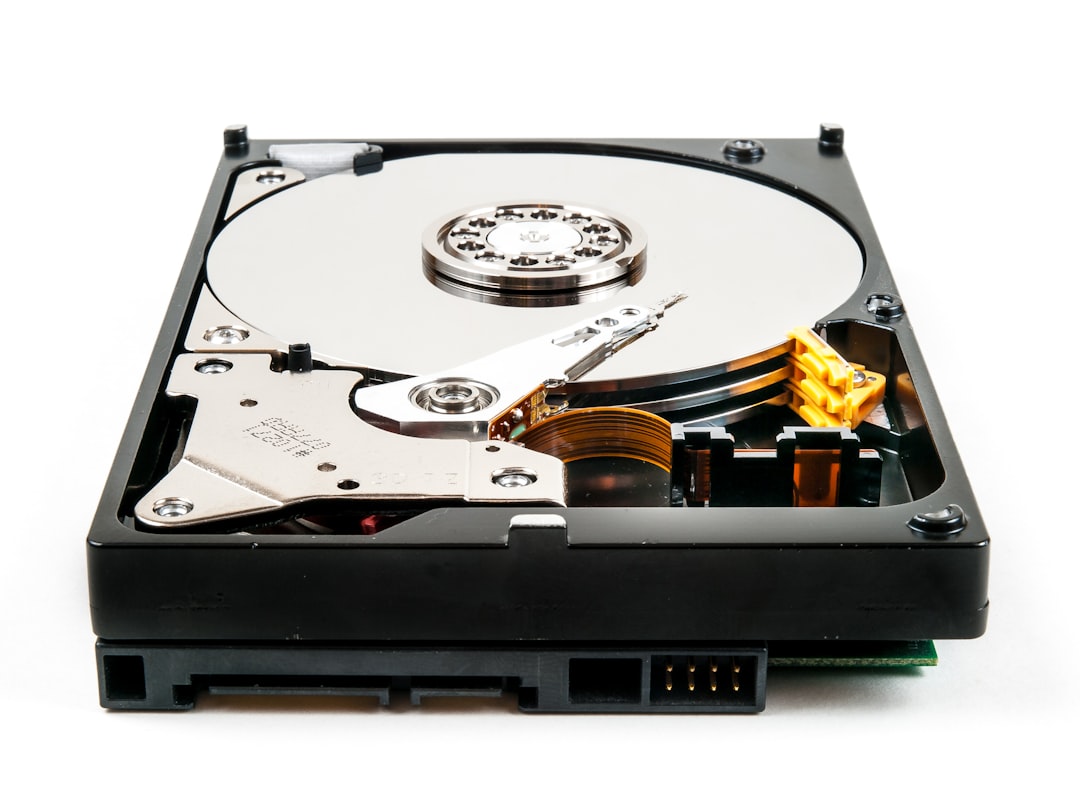
Photo by William Warby on Unsplash
This guide covers the three most common relational databases you'll encounter, how to run them in production-ready Docker configurations, and how to make sure you never lose data.

Choosing the Right Database
Most self-hosted applications make this choice for you -- they support one or two databases, and the docs will tell you which one to use. But when you have a choice, here's how they compare:
| Feature | PostgreSQL | MySQL | MariaDB |
|---|---|---|---|
| Best for | Complex queries, data integrity | Web applications, read-heavy workloads | MySQL drop-in replacement |
| License | PostgreSQL License (permissive) | GPLv2 (Oracle-owned) | GPLv2 (community-owned) |
| JSON support | Excellent (JSONB) | Good (JSON type) | Good (JSON type) |
| Extensions | Rich ecosystem (PostGIS, pg_trgm) | Limited | Some MySQL plugins |
| Replication | Streaming, logical | Binary log | Binary log, Galera |
| Default port | 5432 | 3306 | 3306 |
| Docker image size | ~90 MB (Alpine) | ~150 MB | ~120 MB |
| Self-hosted apps using it | Immich, Gitea, Supabase, n8n | Nextcloud, WordPress | Nextcloud, BookStack |
The short version: PostgreSQL is the best general-purpose choice for new projects. MariaDB is what you'll use when an app specifically requires MySQL compatibility. MySQL itself is increasingly being replaced by MariaDB in the self-hosted world because MariaDB is community-owned and fully compatible.
Production-Ready Docker Compose: PostgreSQL
Here's a PostgreSQL setup that's ready for real use, not just a demo:
services:
  postgres:
    image: postgres:16-alpine
    container_name: postgres
    restart: unless-stopped
    volumes:
      - postgres_data:/var/lib/postgresql/data
    environment:
      POSTGRES_USER: ${POSTGRES_USER}
      POSTGRES_PASSWORD: ${POSTGRES_PASSWORD}
      POSTGRES_DB: ${POSTGRES_DB}
    ports:
      - "127.0.0.1:5432:5432"
    healthcheck:
      test: ["CMD-SHELL", "pg_isready -U ${POSTGRES_USER} -d ${POSTGRES_DB}"]
      interval: 10s
      timeout: 5s
      retries: 5
      start_period: 30s
    deploy:
      resources:
        limits:
          memory: 1G
        reservations:
          memory: 256M
    shm_size: '256m'
    command:
      - "postgres"
      - "-c"
      - "shared_buffers=256MB"
      - "-c"
      - "work_mem=16MB"
      - "-c"
      - "maintenance_work_mem=128MB"
      - "-c"
      - "max_connections=100"
      - "-c"
      - "log_min_duration_statement=1000"

volumes:
  postgres_data:
The .env file:
POSTGRES_USER=appuser
POSTGRES_PASSWORD=$(openssl rand -base64 24)
POSTGRES_DB=myapp
Key details worth noting:
shm_size: '256m'-- PostgreSQL uses shared memory heavily. The default Docker shared memory (64 MB) is too small and can cause crashes under load.shared_buffers=256MB-- Set to roughly 25% of available memory for the database. The default 128 KB is absurdly low.log_min_duration_statement=1000-- Logs any query taking longer than 1 second. Invaluable for debugging slow queries.127.0.0.1:5432:5432-- Only listen on localhost. If other Docker services connect via the Docker network, they don't need the port exposed at all.- Health check -- Other services can use
depends_on: { postgres: { condition: service_healthy } }to wait for the database to actually accept connections.
Production-Ready Docker Compose: MariaDB
services:
  mariadb:
    image: mariadb:11
    container_name: mariadb
    restart: unless-stopped
    volumes:
      - mariadb_data:/var/lib/mysql
    environment:
      MYSQL_ROOT_PASSWORD: ${MYSQL_ROOT_PASSWORD}
      MYSQL_DATABASE: ${MYSQL_DATABASE}
      MYSQL_USER: ${MYSQL_USER}
      MYSQL_PASSWORD: ${MYSQL_PASSWORD}
    ports:
      - "127.0.0.1:3306:3306"
    healthcheck:
      test: ["CMD", "healthcheck.sh", "--connect", "--innodb_initialized"]
      interval: 10s
      timeout: 5s
      retries: 5
      start_period: 30s
    command:
      - "--innodb-buffer-pool-size=256M"
      - "--innodb-log-file-size=64M"
      - "--max-connections=100"
      - "--character-set-server=utf8mb4"
      - "--collation-server=utf8mb4_unicode_ci"
      - "--slow-query-log=ON"
      - "--long-query-time=1"

volumes:
  mariadb_data:
The same principles apply: tune the buffer pool, enable slow query logging, and restrict port exposure to localhost.
Want more infrastructure guides? Get guides like this in your inbox — Self-Hosted Weekly delivers one free deep-dive every week.
Automated Backups
The single most important thing you can do for your databases is automate backups. Copying volume files while the database is running produces corrupt backups. Always use the database's native dump tool.
PostgreSQL backup script
#!/bin/bash
set -euo pipefail

BACKUP_DIR="/backups/postgres"
RETENTION_DAYS=14
TIMESTAMP=$(date +%Y-%m-%d_%H%M)

mkdir -p "$BACKUP_DIR"

# Dump all databases
docker exec postgres pg_dumpall \
  -U "$POSTGRES_USER" \
  --clean \
  | gzip > "$BACKUP_DIR/pg_all_${TIMESTAMP}.sql.gz"

# Per-database dumps for selective restore
for db in $(docker exec postgres psql -U "$POSTGRES_USER" -t -c "SELECT datname FROM pg_database WHERE datistemplate = false AND datname != 'postgres';"); do
  db=$(echo "$db" | xargs)  # trim whitespace
  docker exec postgres pg_dump \
    -U "$POSTGRES_USER" \
    -Fc \
    "$db" > "$BACKUP_DIR/${db}_${TIMESTAMP}.dump"
done

# Prune old backups
find "$BACKUP_DIR" -name "*.sql.gz" -mtime +$RETENTION_DAYS -delete
find "$BACKUP_DIR" -name "*.dump" -mtime +$RETENTION_DAYS -delete

echo "Backup completed: $(du -sh $BACKUP_DIR | cut -f1) total"
MariaDB/MySQL backup script
#!/bin/bash
set -euo pipefail

BACKUP_DIR="/backups/mariadb"
RETENTION_DAYS=14
TIMESTAMP=$(date +%Y-%m-%d_%H%M)

mkdir -p "$BACKUP_DIR"

# Dump all databases
docker exec mariadb mysqldump \
  -u root \
  -p"$MYSQL_ROOT_PASSWORD" \
  --all-databases \
  --single-transaction \
  --routines \
  --triggers \
  | gzip > "$BACKUP_DIR/mysql_all_${TIMESTAMP}.sql.gz"

# Prune old backups
find "$BACKUP_DIR" -name "*.sql.gz" -mtime +$RETENTION_DAYS -delete

echo "Backup completed: $(du -sh $BACKUP_DIR | cut -f1) total"
The --single-transaction flag is critical for InnoDB tables -- it takes a consistent snapshot without locking the database.
Schedule either script with a cron job or systemd timer:
# Run daily at 3 AM
0 3 * * * /opt/scripts/backup-postgres.sh >> /var/log/db-backup.log 2>&1
Verify your backups
A backup you've never tested restoring is not a backup. Periodically test:
# PostgreSQL: restore to a temporary database
gunzip -c pg_all_2026-02-14_0300.sql.gz | docker exec -i postgres psql -U appuser -d postgres

# MariaDB: restore to a temporary database
gunzip -c mysql_all_2026-02-14_0300.sql.gz | docker exec -i mariadb mysql -u root -p"$MYSQL_ROOT_PASSWORD"
Connection Pooling with PgBouncer
If you're running multiple applications against the same PostgreSQL instance, connection pooling prevents the database from being overwhelmed. Each PostgreSQL connection uses about 10 MB of memory, and the default max_connections=100 can be exhausted quickly.
PgBouncer sits between your applications and PostgreSQL, multiplexing many client connections onto fewer database connections:
services:
  pgbouncer:
    image: bitnami/pgbouncer:latest
    container_name: pgbouncer
    restart: unless-stopped
    environment:
      POSTGRESQL_HOST: postgres
      POSTGRESQL_PORT: 5432
      POSTGRESQL_USERNAME: ${POSTGRES_USER}
      POSTGRESQL_PASSWORD: ${POSTGRES_PASSWORD}
      POSTGRESQL_DATABASE: ${POSTGRES_DB}
      PGBOUNCER_POOL_MODE: transaction
      PGBOUNCER_MAX_CLIENT_CONN: 200
      PGBOUNCER_DEFAULT_POOL_SIZE: 20
    ports:
      - "127.0.0.1:6432:6432"
    depends_on:
      postgres:
        condition: service_healthy
Point your applications at pgbouncer:6432 instead of postgres:5432. Transaction pooling mode is the right choice for most self-hosted applications -- it assigns a database connection for the duration of each transaction, then returns it to the pool.
Monitoring Your Databases
Running a database without monitoring is flying blind. At minimum, watch these metrics:
For PostgreSQL:
- Active connections vs.
max_connections - Transaction rate (commits/rollbacks per second)
- Cache hit ratio (should be above 99%)
- Disk usage and growth rate
- Replication lag (if replicating)
For MariaDB/MySQL:
- Threads connected vs.
max_connections - Slow queries per second
- InnoDB buffer pool hit ratio
- Table lock waits
- Binary log disk usage
If you're already running Prometheus and Grafana (and you should be), add the appropriate exporter:
services:
  postgres-exporter:
    image: prometheuscommunity/postgres-exporter:latest
    restart: unless-stopped
    environment:
      DATA_SOURCE_NAME: "postgresql://${POSTGRES_USER}:${POSTGRES_PASSWORD}@postgres:5432/${POSTGRES_DB}?sslmode=disable"
    ports:
      - "127.0.0.1:9187:9187"
Import Grafana dashboard 9628 (PostgreSQL Database) or 7362 (MySQL Overview) for instant visibility into your database health.
Common Mistakes
Using
latesttag for database images -- Database major version upgrades require migration steps. Pin to a major version (postgres:16,mariadb:11) and upgrade deliberately.Not setting
shm_sizefor PostgreSQL -- The default 64 MB shared memory in Docker causes crashes under moderate load. Always setshm_size.Exposing database ports to the network -- If only Docker containers need to connect, don't add a
ports:mapping at all. Service-to-service communication happens over the Docker network.Copying volume files instead of using dump tools -- File-level copies of a running database are often corrupt. Always use
pg_dumpormysqldump.Skipping health checks -- Without health checks, your application container might start before the database is ready, causing startup failures that require manual intervention.
The Bottom Line
Databases aren't glamorous, but they're the foundation everything else rests on. A properly configured PostgreSQL or MariaDB instance in Docker, with automated backups and basic monitoring, will serve you reliably for years. Get the fundamentals right -- tuned memory settings, automated dump-based backups, health checks, and localhost-only port exposure -- and your data is safe.