Komga: A Self-Hosted Comics and Manga Server
Komga is a media server for comics, manga, and digital books in CBZ, CBR, PDF, and EPUB formats. Think of it as Jellyfin but for comics — it organizes your collection, provides a web reader, serves content to mobile apps via OPDS, and handles metadata from ComicVine and AniList.
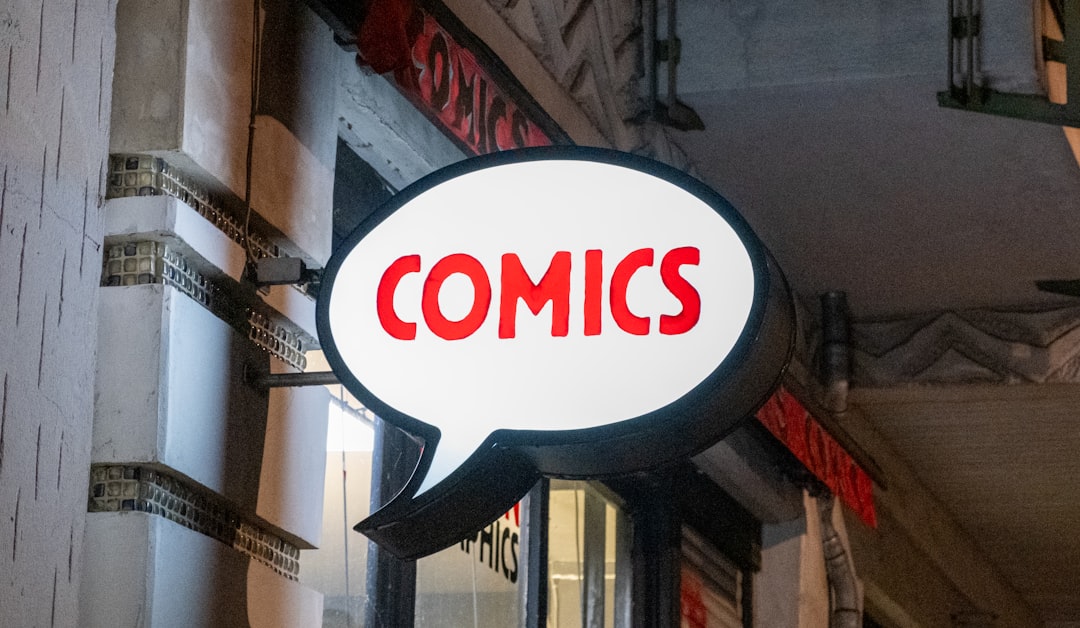
Photo by João Pedro Schmitz on Unsplash
If you have a folder full of CBZ files and want to read them on any device with a nice browsing experience, Komga is the standard self-hosted solution.

Why Komga?
The digital comics landscape has a few self-hosted options. Komga stands out for:
- Format support — CBZ, CBR, CB7, PDF, EPUB
- Web reader — Read directly in the browser with a quality reader (Webtoon and paged modes)
- OPDS feed — Compatible with dozens of reader apps on iOS, Android, and e-readers
- Metadata — Scrapes ComicVine, AniList, and embedded ComicInfo.xml
- Reading progress — Tracks where you left off across devices
- Multi-user — Separate libraries, progress, and permissions per user
- Collections and read lists — Organize series into custom groups
Komga vs Kavita vs Calibre-Web
- Komga — Best for comics and manga specifically. Superior OPDS support and comic reader
- Kavita — Similar feature set, also handles novels well. Slightly more opinionated UI
- Calibre-Web — Best for ebooks (EPUB/MOBI). Excellent Calibre library integration but weaker comic support
Installation
# docker-compose.yml
services:
  komga:
    image: gotson/komga:latest
    container_name: komga
    ports:
      - "25600:25600"
    volumes:
      - komga_config:/config
      - /data/comics:/data/comics:ro
      - /data/manga:/data/manga:ro
    environment:
      - TZ=America/Los_Angeles
      - JAVA_TOOL_OPTIONS=-Xmx512m
    user: "1000:1000"
    restart: unless-stopped

volumes:
  komga_config:
docker compose up -d
Access Komga at http://your-server:25600. Create an admin account on first launch.
The JAVA_TOOL_OPTIONS=-Xmx512m limits memory usage. Increase for larger libraries (1-2 GB for 10,000+ books).
Library Setup
Organizing Your Files
Komga expects a hierarchical folder structure:
/data/comics/
├── Marvel/
│   ├── Spider-Man (2022)/
│   │   ├── Spider-Man 001.cbz
│   │   ├── Spider-Man 002.cbz
│   │   └── Spider-Man 003.cbz
│   └── X-Men (2021)/
│       ├── X-Men 001.cbz
│       └── X-Men 002.cbz
└── DC/
    └── Batman (2016)/
        ├── Batman 001.cbz
        └── Batman 002.cbz

/data/manga/
├── One Piece/
│   ├── Volume 01.cbz
│   └── Volume 02.cbz
└── Chainsaw Man/
    ├── Chapter 001.cbz
    └── Chapter 002.cbz
Komga treats each immediate subfolder of a library root as a series. Files within a series folder are individual books (issues/chapters/volumes).
Adding Libraries
In the web UI:
- Click the + button to add a library
- Name it (e.g., "Comics" or "Manga")
- Set the root folder path (e.g.,
/data/comics) - Configure scan settings:
- Scan on startup — Scan when Komga starts
- Scan interval — How often to check for new files (every 6h is reasonable)
- Deep scan — Re-analyze all files, not just new ones (slower)
Metadata
Komga reads metadata from multiple sources:
- ComicInfo.xml — Embedded in CBZ files (most common for comics)
- EPUB metadata — Standard EPUB metadata fields
- Filename parsing — Extracts series name and issue number from filenames
- External providers — ComicVine and AniList lookup (requires API keys)
For the best experience, ensure your files have embedded ComicInfo.xml metadata. Tools like ComicTagger can batch-add metadata to your collection.
Want more media guides? Get guides like this in your inbox — Self-Hosted Weekly delivers one free deep-dive every week.
The Web Reader
Komga's built-in reader supports:
- Paged mode — Traditional page-by-page reading (single or double page)
- Webtoon mode — Continuous vertical scrolling (essential for webtoons/manhwa)
- Reading direction — Left-to-right or right-to-left (for manga)
- Keyboard shortcuts — Arrow keys, page up/down, and customizable bindings
- Gestures — Touch support for tablets
- Background color — White, black, or custom (useful for different scan qualities)
The reader remembers your position per book and syncs across devices.
OPDS and Reader Apps
Komga serves an OPDS (Open Publication Distribution System) feed, which is a standard protocol for browsing and downloading digital publications. This enables compatibility with dozens of reader apps.
OPDS URL
http://your-server:25600/opds/v1.2/catalog
Use your Komga username and password for authentication.
Recommended Apps
iOS:
- Panels — Best iOS comic reader with OPDS support. Beautiful UI, great gestures
- Chunky — Established comic reader with OPDS browsing
Android:
- Tachiyomi (and forks like Mihon) — The dominant manga reader. Komga extension available
- Librera — Supports OPDS for comics and ebooks
E-readers:
- KOReader — Open-source reader for Kobo/Kindle with OPDS support
User Management
Multiple Users
Each user gets:
- Separate reading progress — Family members don't interfere with each other's place
- Library restrictions — Control which libraries each user can access
- Age restrictions — Hide age-rated content from specific users
- Content restrictions — Limit access by label or sharing restrictions
Shared Libraries
A common setup for families:
- Admin account — Full access to everything
- Adult accounts — Access to all-ages + mature content
- Child accounts — Access to all-ages library only
Performance Tips
Large Libraries (10,000+ Books)
- Increase JVM memory:
JAVA_TOOL_OPTIONS=-Xmx2g - Use SSD storage for the config volume (database and thumbnails)
- The initial scan takes time — let it finish before judging performance
- Subsequent scans are incremental and fast
Thumbnail Generation
Komga generates thumbnails for every page of every book. This is CPU-intensive on the first scan but cached afterward. Storage usage for thumbnails:
- ~500 KB per book (cover thumbnail)
- ~50 KB per page if page thumbnails are enabled
For a 5,000-book library, expect 2-5 GB of thumbnail storage.
Network Storage
Komga works with NFS and SMB mounts. Network latency affects scan speed but not reading performance (pages are cached after first access).
Integrating with the *arr Stack
Mylar3
Mylar3 is the "Sonarr for comics" — it automates comic downloading and organization. Point Mylar3's download directory at Komga's library folder, and Komga picks up new issues automatically.
Kapowarr
A newer alternative to Mylar3, specifically designed to work well with Komga. It handles searching, downloading, and organizing comics with proper ComicInfo.xml metadata.
Verdict
Komga is the definitive self-hosted solution for comics and manga. The web reader is excellent, OPDS support means you can use your preferred mobile app, and the multi-user features make it work for the whole family. If Jellyfin is where you go for movies and TV, Komga is where you go for comics.
The setup is straightforward — organize your files in folders, point Komga at them, and you're reading. Metadata handling is good enough that even poorly organized collections become browsable quickly. For manga readers in particular, the Tachiyomi/Mihon integration makes Komga feel native on Android.