Self-Hosting Jellyfin: A Free, Open Source Plex Alternative
If you have a collection of movies, TV shows, or music, you've probably looked at Plex. It's the dominant self-hosted media server — but it's not actually open source, and its business model increasingly pushes you toward paid features and ad-supported content you didn't ask for.
Photo by Stuart Timms on Unsplash
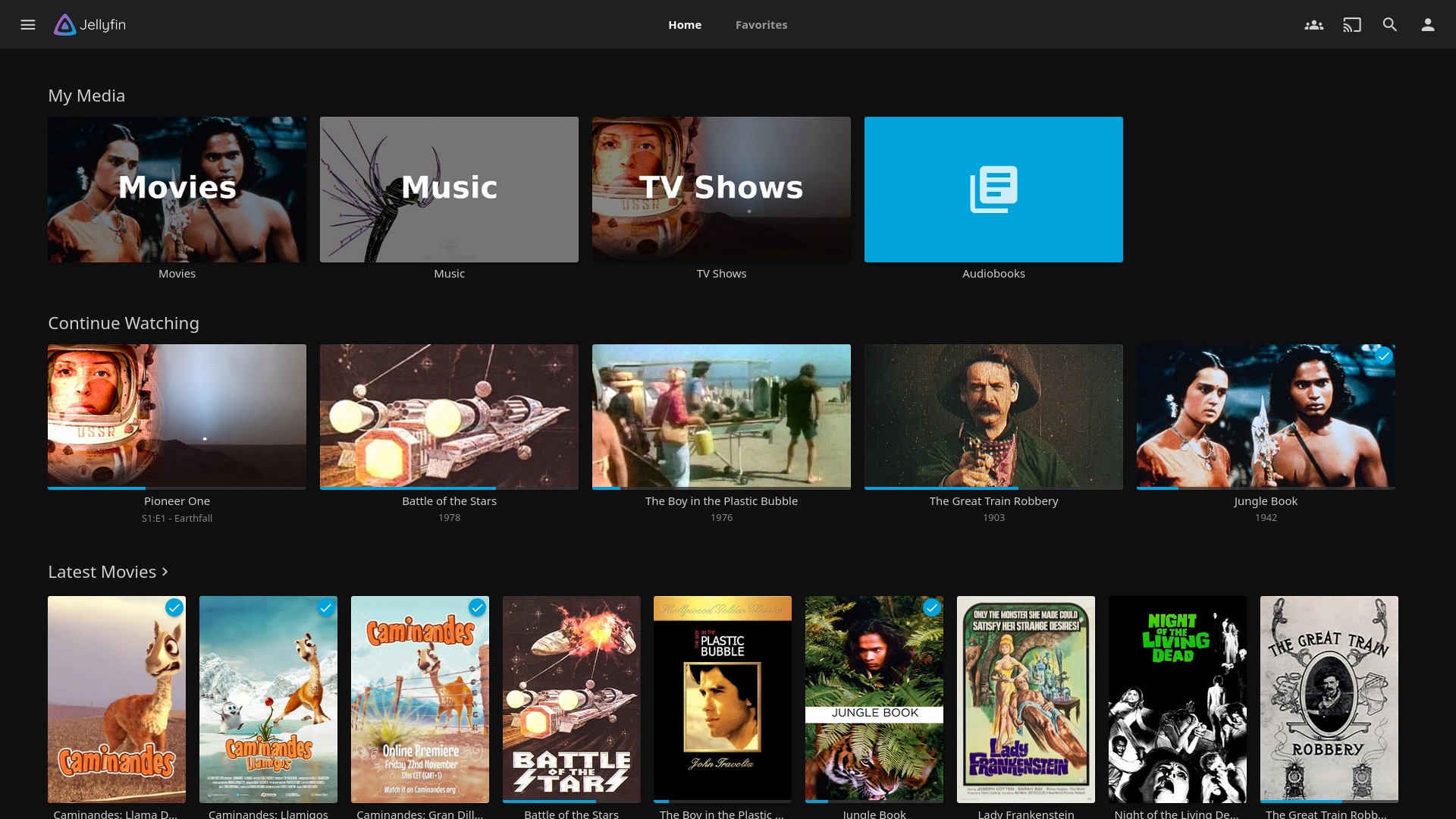
Jellyfin is the fully free, open source alternative. No accounts required, no tracking, no upsells. You install it, point it at your media library, and it just works.
Jellyfin vs. Plex: An Honest Comparison
| Feature | Plex | Jellyfin |
|---|---|---|
| License | Proprietary (freemium) | GPLv2 (fully free) |
| Account required | Yes (Plex account) | No (local auth) |
| Remote access | Built-in relay | Manual setup (reverse proxy) |
| Hardware transcoding | Plex Pass ($5/month or $120 lifetime) | Free, built-in |
| Client apps | Polished, all platforms | Good on most, rougher on some |
| Music support | Plexamp (excellent) | Decent, improving |
| Live TV / DVR | Yes (Plex Pass) | Yes (free) |
| Telemetry | Extensive | None |
| Cost | Free tier + paid features | Completely free |
When Plex is still the better choice
- Remote sharing with non-technical friends/family — Plex's relay system makes remote access dead simple. With Jellyfin, you need to set up a reverse proxy and DNS.
- Best-in-class music experience — Plexamp is genuinely excellent. Jellyfin's music support works but isn't in the same league.
- Apple TV — Plex's Apple TV app is mature. Jellyfin's is functional but less polished.
- You just want it to work — Plex requires less networking knowledge for remote setups.
When Jellyfin wins
- No vendor lock-in — Your server, your rules. No account required, no phoning home.
- Free hardware transcoding — Plex charges for this through Plex Pass. Jellyfin includes it.
- No ads or "Discover" content — Plex increasingly surfaces free ad-supported movies you didn't add. Jellyfin only shows your library.
- Privacy — Jellyfin sends zero telemetry. Plex tracks viewing habits.
What Jellyfin Can Do
Out of the box, Jellyfin handles:
- Movies and TV shows with automatic metadata, artwork, and subtitle fetching
- Music libraries with album art and artist info
- Live TV and DVR via HDHomeRun or other tuners
- Books and comics (basic reader)
- Hardware transcoding using Intel Quick Sync, NVIDIA NVENC, or VA-API
- Multiple user profiles with parental controls
- Offline sync (via some clients)
The web interface runs in your browser, and native clients exist for Android, iOS, Android TV, Fire TV, Roku, and more.
Self-Hosting Jellyfin: What You Need
Server requirements
Jellyfin's requirements depend heavily on whether you transcode media:
- Direct play only (clients support your media formats): Almost any hardware works. A Raspberry Pi 4 can handle multiple streams.
- Transcoding: You need either a modern Intel CPU with Quick Sync (any 7th gen or newer) or an NVIDIA GPU. A basic Intel NUC works well.
- Storage: This is the big one. Media libraries grow fast. Plan for at least 2-4 TB if you have a moderate collection.
Docker Compose setup
services:
  jellyfin:
    image: jellyfin/jellyfin:latest
    container_name: jellyfin
    ports:
      - "8096:8096"
    volumes:
      - ./config:/config
      - ./cache:/cache
      - /path/to/media:/media:ro
    devices:
      - /dev/dri:/dev/dri  # Intel Quick Sync
    restart: unless-stopped
docker compose up -d
Open http://your-server:8096 and follow the setup wizard. That's it.
Enabling hardware transcoding
If you have an Intel CPU with Quick Sync:
- Make sure the
/dev/dridevice is passed through (shown in the compose file above) - In Jellyfin dashboard, go to Playback → Transcoding
- Select Video Acceleration API (VA-API) or Intel Quick Sync (QSV)
- Enable the codecs your hardware supports (H.264 and HEVC at minimum)
For NVIDIA GPUs, you'll need to install the NVIDIA Container Toolkit and pass through the GPU instead of /dev/dri.
Remote access
Unlike Plex, Jellyfin doesn't have a relay service. For remote access, you need:
- A reverse proxy (Caddy, nginx, or Traefik)
- A domain or dynamic DNS pointing to your home IP
- Port forwarding on your router (or a Cloudflare Tunnel / WireGuard VPN)
Example Caddy configuration:
jellyfin.yourdomain.com {
    reverse_proxy localhost:8096
}
This gives you HTTPS automatically via Let's Encrypt.
Want more media guides? Get guides like this in your inbox — Self-Hosted Weekly delivers one free deep-dive every week.
Organizing Your Media Library
Jellyfin uses folder structure and file naming to identify content. Follow this convention:
/media/
  movies/
    The Matrix (1999)/
      The Matrix (1999).mkv
    Inception (2010)/
      Inception (2010).mkv
  tv/
    Breaking Bad (2008)/
      Season 01/
        Breaking Bad - S01E01 - Pilot.mkv
  music/
    Artist Name/
      Album Name (Year)/
        01 - Track Title.flac
If your files are named this way, Jellyfin will automatically fetch metadata, artwork, descriptions, and ratings from TMDb and MusicBrainz.
The Honest Trade-offs
Jellyfin is great if:
- You value open source software and data ownership
- You want free hardware transcoding
- You primarily watch at home or have networking knowledge for remote access
- You don't want to create an account with anyone
Jellyfin is not ideal if:
- You want effortless remote sharing with non-technical people
- Music is your primary use case and you want the best experience
- You want a guaranteed, commercially supported product
Bottom line: For most self-hosters, Jellyfin is the clear choice. It does everything Plex does for media playback, without the account requirement, telemetry, or paywalled features. The main gap is remote access convenience, which is solvable if you're willing to set up a reverse proxy.