Homebox: Self-Hosted Home Inventory and Asset Management
Most home inventory systems exist for insurance claims — you fill them out after a disaster, not before. Homebox is different: it's a practical tool for tracking what you own, where it lives, and when it needs attention, before you need that information urgently.
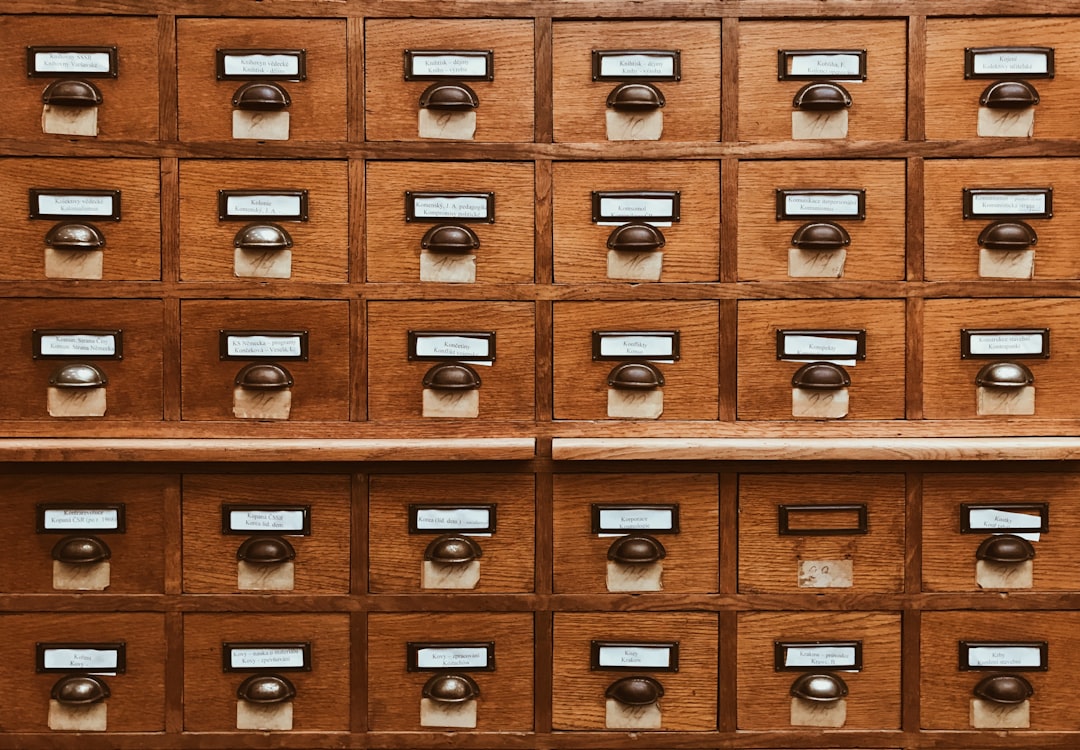
Photo by Jan Antonin Kolar on Unsplash
It's open source, runs in a single Docker container, and stores everything in SQLite. If you have a homelab, have valuable tools scattered around a garage, manage a rental property, or just own enough electronics to lose track of warranties, Homebox is worth a look.
What Homebox Does
Homebox tracks inventory at several levels:
- Locations: Define where things live (rooms, shelves, bins, vehicles)
- Items: Individual assets with descriptions, serial numbers, purchase dates, and prices
- Labels: Tags for filtering and grouping (e.g., "electronics", "tools", "kitchen")
- Maintenance logs: Track service history for appliances, vehicles, or equipment
- Warranties: Store warranty expiration dates with reminder support
The web UI is clean and mobile-friendly. You can scan barcodes to look up items, attach receipts and manuals as files, and generate insurance reports listing your assets with estimated values.
Docker Deployment
Homebox ships as a single container with no external dependencies:
services:
  homebox:
    image: ghcr.io/sysadminsmedia/homebox:latest
    container_name: homebox
    restart: unless-stopped
    environment:
      HBOX_LOG_LEVEL: info
      HBOX_LOG_FORMAT: text
      HBOX_WEB_MAX_UPLOAD_SIZE: 10
    volumes:
      - homebox-data:/data
    ports:
      - "7745:7745"

volumes:
  homebox-data:
Start it with docker compose up -d and navigate to http://your-host:7745. The first user who registers becomes the admin.
Behind a reverse proxy, this becomes straightforward — point Caddy or Nginx Proxy Manager at port 7745 and configure your domain.
Setting Up Your Inventory Structure
Start with locations, then populate items. A sensible home structure:
Home
├── Living Room
│   ├── Entertainment Center
│   └── Bookshelf
├── Kitchen
│   └── Appliances
├── Garage
│   ├── Tool Chest
│   └── Shelving Unit A
└── Office
    └── Server Rack
Each location can be nested. An item assigned to "Tool Chest" inherits the "Garage" location, making searches and reports accurate.
Want more productivity guides? Get guides like this in your inbox — Self-Hosted Weekly delivers one free deep-dive every week.
Items and Tracking Fields
For each item, Homebox stores:
- Name and description
- Location (where it is physically)
- Labels (for filtering and grouping)
- Quantity
- Serial number and model number
- Manufacturer and purchase source
- Purchase price and current value
- Purchase date and warranty expiration
- Notes (free text for anything else)
- Attachments (receipts, manuals, photos)
For electronics specifically, the serial number and warranty fields pay for themselves the first time you need service. Warranty expiration dates with email reminders prevent discovering coverage lapsed right when you need it.
Warranty and Maintenance Tracking
Homebox sends email reminders before warranties expire and maintenance is due. Configure SMTP in the admin settings:
environment:
  HBOX_MAILER_HOST: smtp.your-provider.com
  HBOX_MAILER_PORT: 587
  HBOX_MAILER_USERNAME: [email protected]
  HBOX_MAILER_PASSWORD: your-password
  HBOX_MAILER_FROM: [email protected]
Maintenance entries work similarly. For a gas furnace, you might log a "filter replacement" maintenance schedule with a 3-month interval. Homebox will remind you when it's due, and you can log each completed service with date and notes.
Insurance Documentation
One of Homebox's most useful features is its insurance report generation. Navigate to Reports → Insurance to get a formatted list of all items with purchase prices, current values, and serial numbers.
Insurers typically require a home inventory for personal property claims. Maintaining this in Homebox means you can generate a current report at any time rather than scrambling after a loss. Export as CSV for spreadsheet use or print directly from the web UI.
Multi-User and Household Sharing
Homebox supports multiple users within the same household. Each user can have different permission levels:
- Admin: Full access including user management
- User: Can create and edit items
- Read-only: View only
For a household inventory, a practical setup is one admin account and read-only or user accounts for other household members. Everyone can check warranty status or item locations without needing separate access.
Import and Export
Homebox supports CSV import and export for bulk operations. If you have an existing spreadsheet of your possessions, you can import it directly rather than entering items manually.
The export format preserves all fields, making migration straightforward if you need to move to a new server or version.
Barcode and QR Code Labels
Homebox can generate QR code labels for items. Print them on a label maker and attach to boxes, bins, or equipment. Scanning the QR code with a phone opens the item directly in Homebox's mobile web UI.
This is especially useful for storage containers — label a bin with a QR code, scan it to see exactly what's inside without opening it.
Homebox vs. Other Inventory Apps
| Feature | Homebox | Shelf (BookStack-based) | Paper-based |
|---|---|---|---|
| Self-hosted | ✓ | ✓ | N/A |
| Warranty tracking | ✓ | Limited | Manual |
| Maintenance logs | ✓ | No | Manual |
| Insurance reports | ✓ | No | Manual |
| Barcode scanning | ✓ | No | No |
| Mobile-friendly | ✓ | Limited | No |
Homebox focuses specifically on home and personal inventory, rather than trying to be a general asset management tool for businesses.
Practical Uses
Electronics and appliances: Track warranties, serial numbers, and receipts for every device. When something breaks, you immediately know if it's under warranty and have the proof of purchase.
Tools: Know which tools you own, where they're stored, and whether any are on loan to someone. The location tracking prevents the "I know I own a torque wrench but can't find it" problem.
Rental property: If you manage rental properties, Homebox is useful for tracking appliances in each unit with their purchase dates, warranty status, and maintenance history.
Moving: Before a move, export your inventory to document what you own and its estimated value for insurance purposes.
Backup
Homebox stores all data in a single SQLite file at /data/homebox.db inside the container. Back this up the same way you'd back up any SQLite database:
# Copy the database file out of the container
docker cp homebox:/data/homebox.db /backup/homebox-$(date +%Y%m%d).db
Attachments (receipts, manuals) are stored at /data/uploads/ — include this directory in your backup as well.
Getting Started
The barrier to entry is low: deploy the container, create an account, and start adding the items that matter most. You don't need to catalog everything at once. Start with high-value electronics and appliances, then expand over time.
The GitHub repository is sysadminsmedia/homebox, forked from the original Hay0s/homebox project with active maintenance. The issue tracker is active and the project releases regularly.